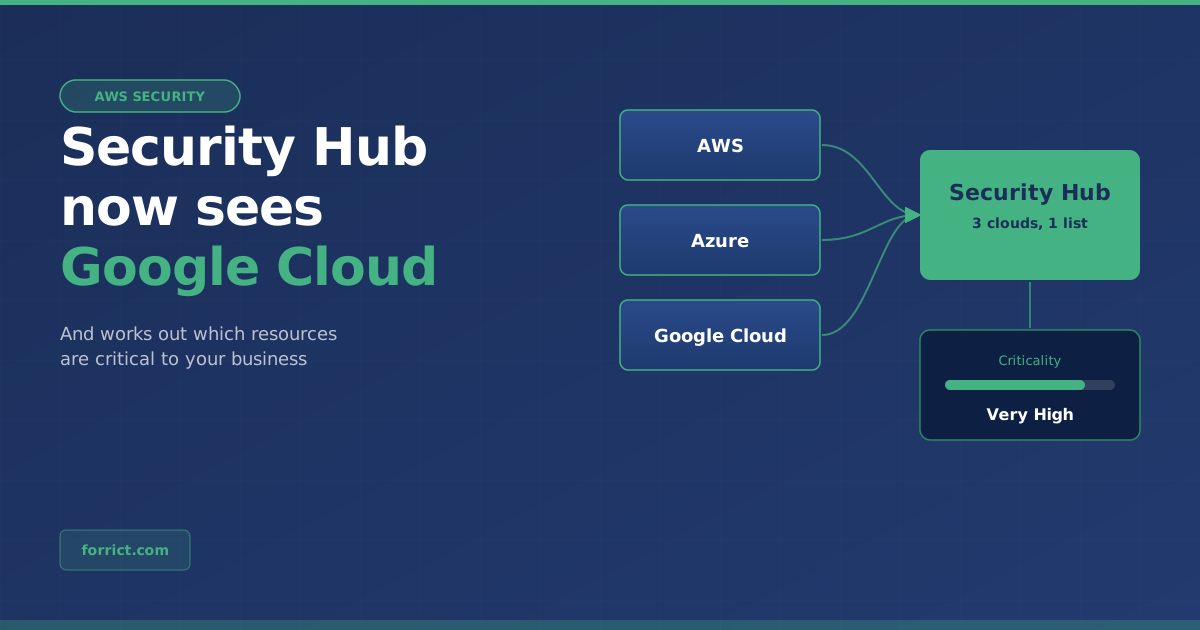
In October we wrote that AWS Security Hub now monitors your Azure environment. On 17 November 2026 AWS took the next step: Security Hub now also checks Google Cloud. On the same day came an update that matters to every Security Hub user, even if you only use AWS: Security Hub now does a better job of working out which resources are important to your business.
Below is exactly what was announced, with the sources. After that, our view on what to do with it.
Update 1: Security Hub for Google Cloud
According to the AWS announcement, Security Hub can now monitor Google Cloud resources alongside AWS. Microsoft Azure was already supported.
| What the announcement says | |
|---|---|
| What Security Hub discovers | Virtual machines, container images in Artifact Registry, Cloud Run functions and identities in Google Cloud |
| What it checks for | Misconfigurations, internet exposure and software vulnerabilities |
| Benchmark | CIS Benchmarks for Google Cloud Platform Foundations |
| View | AWS and Google Cloud findings in one prioritised list, in the same format |
| Automated response | Through your existing Amazon EventBridge integrations |
| Separate options | The Google Cloud integration for posture management (Security Hub CSPM) and for vulnerabilities (Amazon Inspector) can also be set up on their own |
What does it cost?
There is a separate 30-day free trial that starts when you create the Google Cloud integration. After that, Google Cloud resources cost the same as equivalent AWS resources (pricing).
Where is it available?
You can create the integration from most AWS Regions where Security Hub runs. The exceptions are Middle East (UAE), Middle East (Bahrain), Asia Pacific (Taipei) and Asia Pacific (New Zealand).
Azure and Google Cloud side by side
| Microsoft Azure | Google Cloud | |
|---|---|---|
| Virtual machines | Azure Virtual Machines | Virtual machines |
| Container images | Azure Container Registry | Artifact Registry |
| Serverless | Azure Function Apps | Cloud Run functions |
| Identities | Azure identities | Google Cloud identities |
| CIS Benchmark | Microsoft Azure Foundations | Google Cloud Platform Foundations |
| Announced | July 2026 (announcement) | November 2026 |
Update 2: Security Hub knows better what matters
Security Hub creates exposure findings: findings that show how a resource could be attacked. How severe such a finding is depends partly on how critical the resource is. Until now Security Hub only took that from tags and names. Resources without good tags therefore often had criticality Unknown, which made their findings hard to prioritise (announcement).
Now Security Hub also looks at the software running on a resource and at how it is used. The AWS example: an EC2 instance running a database engine with steady traffic gets a higher criticality than an instance that only runs monitoring agents and sits idle.
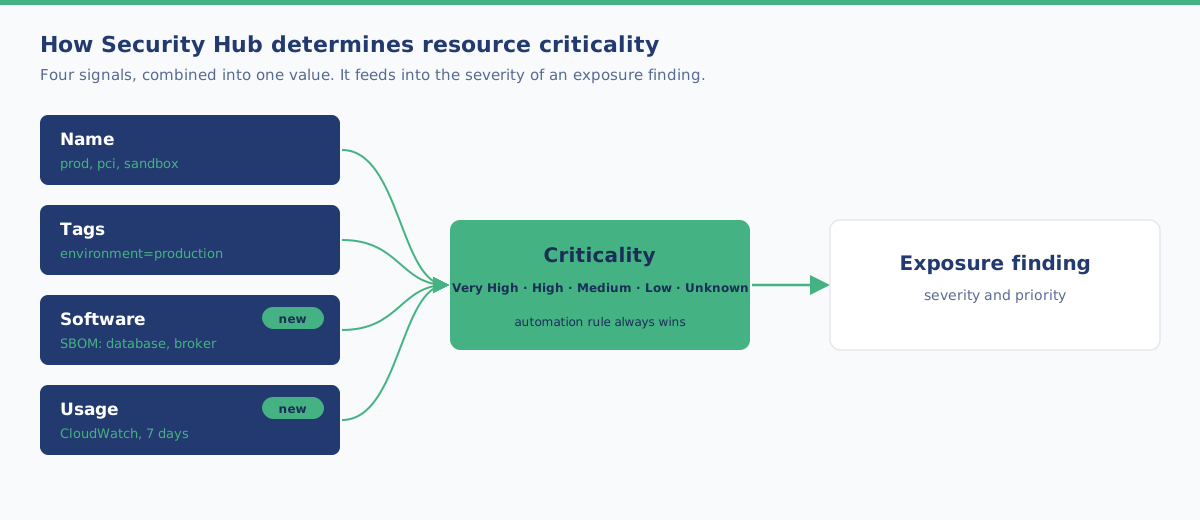
According to the AWS documentation, Security Hub combines these signals:
| Signal | How Security Hub uses it |
|---|---|
| Name | Patterns in the name. prod or pci counts for more than sandbox |
| Tags | Patterns in tags. environment=production counts for more than environment=dev |
| Software (new) | The software bill of materials (SBOM) of compute resources. A database, identity service or message broker counts for more than monitoring agents alone |
| Usage (new) | CloudWatch metrics over the previous 7 days, compared with resources of the same type in the same account and Region. The values themselves are not shown |
What else you should know:
| Point | What it means |
|---|---|
| Values | Very High, High, Medium, Low or Unknown |
| No setup needed | Nothing to enable, and no tagging required |
| Cost | Included in the Security Hub Essentials plan at no extra cost |
| Override it yourself | An automation rule always takes precedence over inferred criticality |
| Unknown doesn’t count | A resource with criticality Unknown does not affect the severity of a finding |
| No downgrades | A missing signal doesn’t lower criticality. Resource type alone decides nothing |
| Recorded at evaluation | An existing finding keeps the criticality from when it was evaluated, until Security Hub evaluates it again |
The documentation doesn’t say whether this inference also applies to resources in Azure or Google Cloud. So don’t assume it does.
Our view: what does this mean for you?
This section is Forrict’s opinion, not part of the announcement.
For almost everyone, the criticality update is the bigger news. AWS names the reason itself: resources that aren’t tagged consistently often ended up with criticality Unknown. Such a resource then doesn’t count towards the severity of a finding, even if it actually matters. When Security Hub can see by itself that a server runs a database with a lot of traffic, that now carries more weight. That helps small teams who don’t have time to go through everything.
Tags are still useful. The new signals fill gaps, but they don’t replace a good tagging agreement. You also need tags for cost, ownership and automation. If you know for sure that a resource is critical, record it with an automation rule. That always wins.
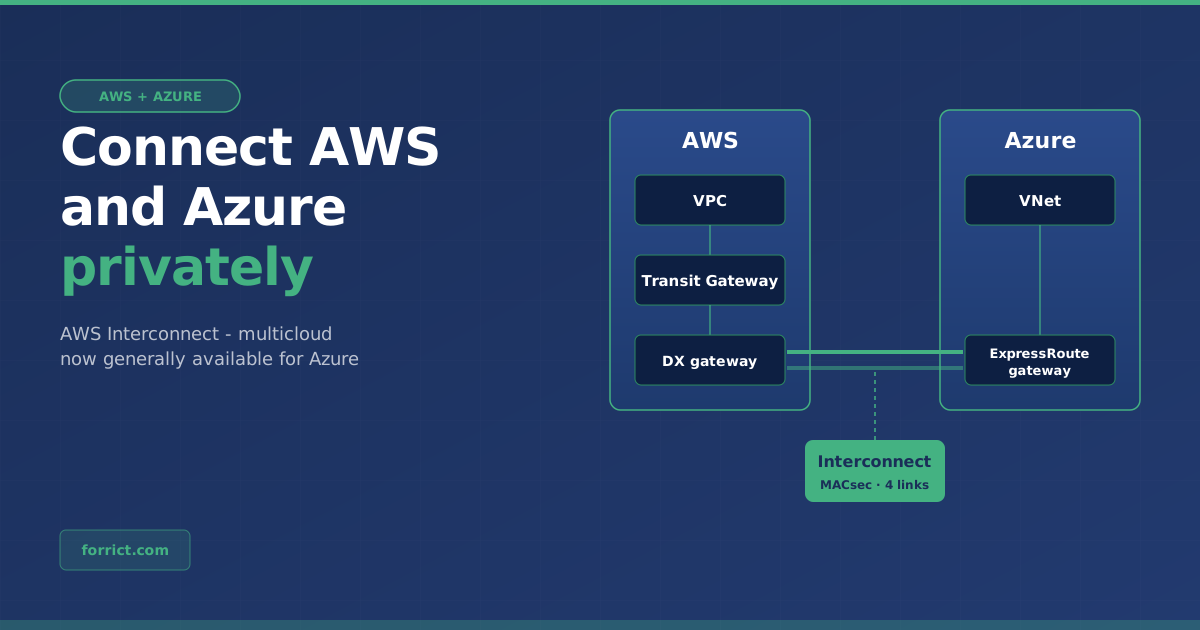
Google Cloud is less common among Dutch SMEs, but the direction is clear. With Azure and now Google Cloud, Security Hub is becoming one place for the security of all major clouds. If you use another cloud next to AWS, even for one project, you now see those risks in the same list. That fits well with a private network between clouds, such as AWS Interconnect with Azure.
A tool doesn’t fix anything. Security Hub shows what’s wrong and what to tackle first. The fixing is still work: tightening permissions, closing ports, updating software.
How to approach it
- Open a few exposure findings in Security Hub and check on the Impact assessment tab what criticality the resource has now.
- Check that your most important resources are rated correctly. If not, record it with an automation rule.
- If you also use Google Cloud or Azure, create the integration and use the 30 free days to see what comes up.
- Agree who picks up the most severe findings, and how fast.
Want to know where your environment stands? With an AWS Security Assessment we map the risks and put the improvements in order.
Get in touch about your cloud security →
Sources
- AWS What’s New, 17 November 2026: AWS Security Hub extends unified security management to Google Cloud Platform
- AWS What’s New, 17 November 2026: AWS Security Hub now infers resource criticality from installed software and usage
- AWS What’s New, July 2026: AWS Security Hub extends unified security management to Microsoft Azure
- AWS documentation: Resources in Security Hub
- AWS Security Hub pricing
Forrict
AWS expert and consultant at Forrict, specializing in cloud architecture and AWS best practices for Dutch businesses.