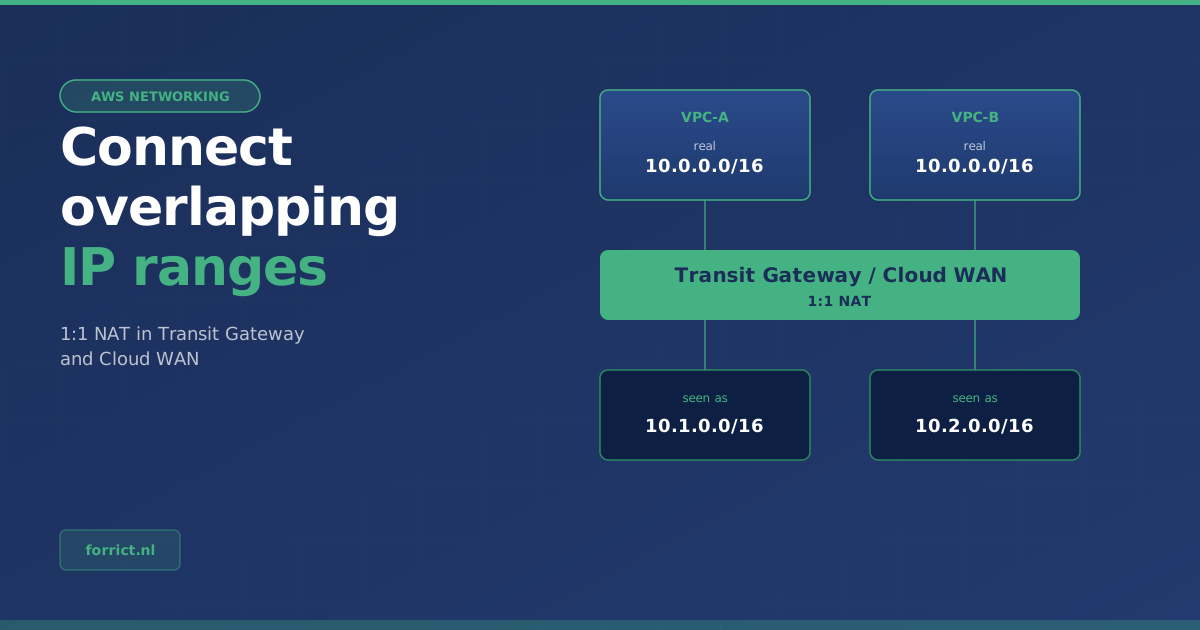
Two networks that both use 10.0.0.0/16 can’t simply be connected. That problem shows up more often than you’d think: after an acquisition, when connecting to a partner or customer, or because every team once picked its own IP range. Until now the choice on AWS was: renumber one of the two networks, or build and run your own NAT appliances.
On 23 October 2026, AWS announced that Transit Gateway and Cloud WAN now do that translation themselves. Below is exactly what was announced and how it works, with the sources. After that, our view on when to use it.
What was announced?
According to the AWS announcement, AWS Transit Gateway and AWS Cloud WAN now offer managed 1:1 NAT on their attachments, through a Regional Private NAT Gateway. AWS operates and scales the NAT as part of the attachment, so there is no separate NAT appliance or NAT Gateway to deploy.
| What the announcement says | |
|---|---|
| What | Managed 1:1 NAT on Transit Gateway and Cloud WAN attachments |
| Problem it solves | Connecting networks with overlapping CIDR blocks without renumbering or NAT appliances |
| Connections | Amazon VPC, AWS Site-to-Site VPN, AWS Direct Connect and SD-WAN appliances through Transit Gateway Connect |
| Regions | All AWS commercial Regions where Transit Gateway and Cloud WAN are available |
| Cost | See the Amazon VPC pricing page |
How does it work?
You configure NAT per attachment. Each rule maps one source CIDR to one NAT CIDR of the same size. An address keeps its position in the range: if 10.10.100.0/24 is mapped to 100.64.100.0/24, then 10.10.100.5 becomes 100.64.100.5.
Translation works in both directions (AWS documentation):
- Outbound (SNAT): traffic arriving from the attachment with a source address in the original range gets the matching NAT address.
- Route lookup: Transit Gateway looks up which attachment the destination belongs to.
- Inbound (DNAT): if the destination falls in a NAT range of the receiving attachment, it is translated back to the real address.
Translation is stateless. Return traffic is translated back automatically, and either side can start a connection. There is no port translation: it really is one address to one address.
Example: two VPCs with the same range
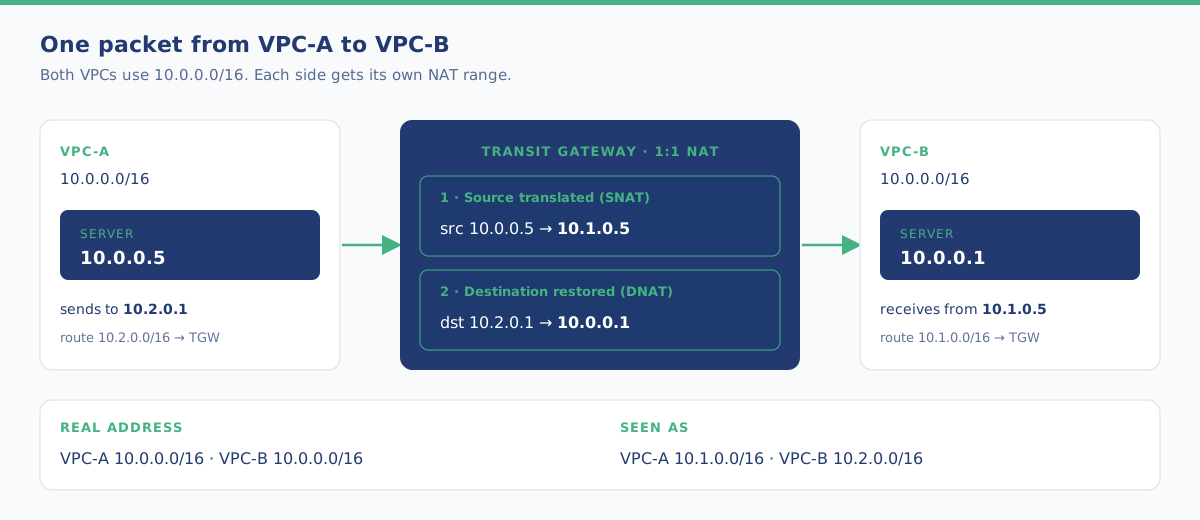
This is the example from the AWS documentation. VPC-A and VPC-B both use 10.0.0.0/16. Each attachment gets its own NAT range.
| Attachment | Real range | Seen by the other side as |
|---|---|---|
| VPC-A | 10.0.0.0/16 | 10.1.0.0/16 |
| VPC-B | 10.0.0.0/16 | 10.2.0.0/16 |
A server in VPC-A (10.0.0.5) sends to 10.2.0.1. Transit Gateway changes the sender to 10.1.0.5 and delivers the packet to 10.0.0.1 in VPC-B. The reply goes back exactly the other way. In VPC-A’s route tables you point 10.2.0.0/16 at Transit Gateway, and in VPC-B 10.1.0.0/16.
Important: with identical ranges you must translate both sides. Translate only one and the other VPC sends its reply to an address inside its own range, so that traffic never leaves the VPC.
What to watch out for
From the Transit Gateway and Cloud WAN documentation:
| Point | What it means |
|---|---|
| IPv4 only | IPv6 traffic passes through untranslated |
| Same size | The original and NAT range must have the same prefix length |
| Allowed NAT ranges | Only RFC 1918 (private) or CGNAT (100.64.0.0/10) |
| Up to 50 rules | Per attachment (configuration) |
| No appliance mode | A VPC attachment with appliance mode can’t have NAT, and vice versa |
| Limited overlap check | AWS only checks overlap within one attachment. You must prevent overlap with other attachments and your own networks yourself |
| Brief interruption | Traffic can drop briefly when you enable or change NAT. Plan it in a maintenance window |
| Owner only | Only the account that owns the Transit Gateway or Cloud WAN core network can configure NAT |
| Paid feature | According to the Cloud WAN documentation, an hourly charge plus a data processing charge |
Not every attachment type is supported:
| Transit Gateway | Cloud WAN | |
|---|---|---|
| Supported | VPC, Direct Connect gateway, Site-to-Site VPN, Connect, peering (intra- and inter-Region), VPN Concentrator | VPC, Direct Connect gateway, Site-to-Site VPN, Connect |
| Not supported | Cloud WAN peering and route table attachments, Network Function, Client VPN | Transit Gateway route table attachments, Tunnelless Connect |
You can set it up in the console, with the AWS CLI (aws ec2 modify-transit-gateway-attachment-nat-configuration for Transit Gateway, aws networkmanager update-attachment-nat-configuration for Cloud WAN) and with CloudFormation through the AWS::EC2::TransitGatewayAttachmentNatConfiguration resource. Note: every change sends the full set of rules. A rule you leave out is deleted.
Our view: when should you use this?
This part is Forrict’s opinion, not part of the announcement.
Acquisitions and partner connections get simpler. Renumbering a network is often a project of months, with a risk of outages. With 1:1 NAT you can connect two environments first and then decide calmly whether renumbering is still needed.
Fewer self-built network appliances. If you run EC2 instances or third-party appliances just to translate addresses, you have less to patch, scale and monitor. Do compare the costs: the AWS feature charges per hour and per data processed.
It’s a plaster, not an IP plan. The real fix is still an address plan that prevents overlap. Reserve a fixed range for NAT in it, for example part of 100.64.0.0/10, and don’t use it anywhere else. That belongs in a good AWS Landing Zone.
Mind logging and security groups. Traffic arrives with the NAT address, not the real address. Security groups, network ACLs and firewall rules must allow the NAT ranges. The receiving side sees the NAT addresses, so those are also what end up in the logs. Agree with your team how to read them back.
How to get started
- Map which networks overlap and which ones really need to talk to each other.
- Pick a NAT range of the same size per network, from a reserved block.
- Test with one attachment in a non-production environment and check route tables, security groups and logs.
- Roll it out to production in a maintenance window and capture the rules in CloudFormation or CDK.
Need help connecting networks or setting up an address plan? We do that as part of an AWS Landing Zone or within Managed AWS.
Talk to us about your AWS network →
Sources
- AWS What’s New, 23 October 2026: AWS Transit Gateway and AWS Cloud WAN now support 1:1 NAT
- AWS documentation: 1:1 NAT in AWS Transit Gateway
- AWS documentation: How 1:1 NAT works in AWS Transit Gateway
- AWS documentation: Routing behavior for 1:1 NAT in AWS Transit Gateway
- AWS documentation: Configure 1:1 NAT in AWS Transit Gateway
- AWS documentation: 1:1 NAT in AWS Cloud WAN
- AWS documentation: Configure 1:1 NAT in AWS Cloud WAN
- Amazon VPC pricing
Forrict
AWS expert and consultant at Forrict, specializing in cloud architecture and AWS best practices for Dutch businesses.